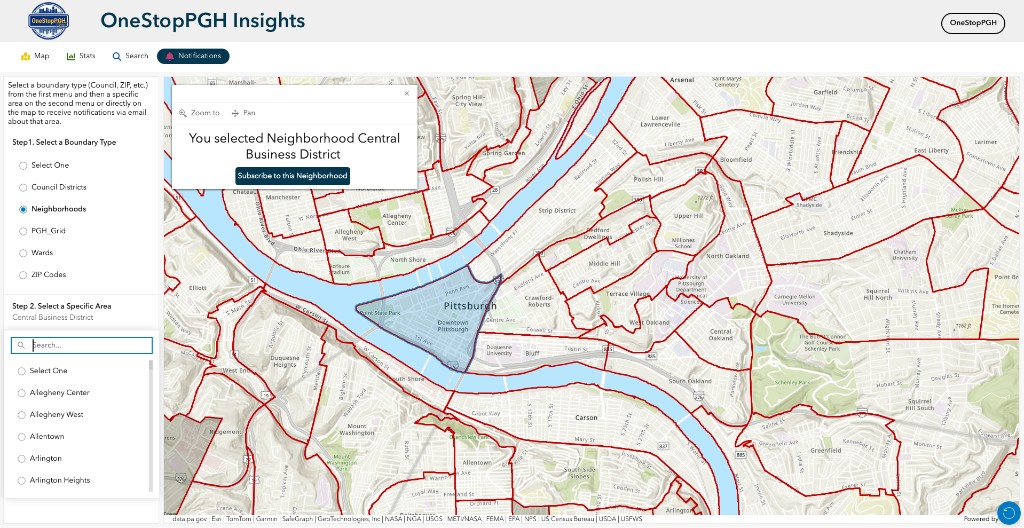
Notifications tab
Notifications allows you to sign up for email notifications inside the map area you choose—for example a neighborhood or ZIP code—when records in that zone are added or updated.
The left panel is a short checklist. First choose how the city should be split on the map: Council Districts, Neighborhoods, PGH Grid, Wards, or ZIP Codes; the map on the right shows the outlines. Then choose which part you want to watch, using the list or by clicking the map. After that, use the Subscribe to this Neighborhood button on the map to open the City’s signup form, enter your contact information, and choose which types of records you want to be notified about.
The tour below already has a boundary type and an area selected so you can follow this tab’s full intended workflow.
Open OneStopPGH Insights